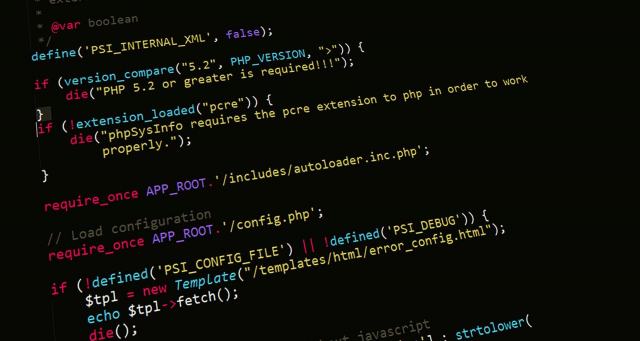
A URL condition in Smarty compares the address requested by the visitor with a value, then displays a different block depending on the result: a title specific to the homepage, a banner reserved for one section, a script loaded on a single page.
These lines of code change depending on the programming language of your site.
This article specifically targets the Smarty engine, which is used for example by Prestashop, CMSMS and many other CMSs.
The basic code: testing for the homepage
{if $smarty.server.REQUEST_URI=="/"}

{else}

{/if}
The code above lets you test whether you are on your site's homepage. The reserved variable $smarty.server gives access to the PHP array $_SERVER, and its REQUEST_URI key contains the requested path, without the domain name: “/” for the homepage, “/url1/” for an inner page.
Example of use:
{if $smarty.server.REQUEST_URI=="/"}<title>Home Title</title>

{elseif $smarty.server.REQUEST_URI=="/url1/"}<title>URL1 Title</title>

{elseif $smarty.server.REQUEST_URI=="/url2/"}<title>URL2 Title</title>

{else}<title>Title for all other pages</title>

{/if}
The code above lets you set the following titles
- “Home Title” on your home page
- “URL1 Title” on your page with the URL www.site.com/url1/
- “URL2 Title” on your page with the URL www.site.com/url2/
- “Title for all other pages” on all other pages.
Of course, you can adapt the code to the type of use you need (so not necessarily the title).
URL parameters break the exact comparison
The REQUEST_URI key also returns the query string. A visitor arriving from a campaign with the address “/?utm_source=newsletter” no longer passes the =="/" test: they see the block meant for the other pages. The same problem affects share links, session identifiers added by some modules and category filters.
The native regex_replace modifier removes everything after the question mark before the comparison:
{assign var=chemin value=$smarty.server.REQUEST_URI|regex_replace:'#\?.*$#':''}
{if $chemin=="/"}
  Homepage block
{/if}
The $chemin variable is then used in all the conditions of the template, which avoids repeating the cleanup at every test.
Targeting a whole section rather than a single address
A condition on a section compares the beginning of the path, not the full path. With the same regular expression, the following test applies to “/blog/” and to all the pages below it:
{if $chemin|regex_replace:'#^/blog/.*#':'blog'=="blog"}
  Box reserved for the blog
{/if}
Smarty's operators can be combined in a single {if} tag: == or eq for equality, != or neq for inequality, and and or to chain several tests, for example “contact page or quote page”.
CMS variables, more reliable than the address
An address changes as soon as a page is renamed or translated, whereas the page identifier supplied by the CMS stays stable. Before writing a Smarty URL condition, check what your tool already passes to the template.
- PrestaShop, recent themes: the
{$page.page_name}variable equals for example “index” on the homepage, “product” on a product page, “category” on a category. - CMS Made Simple: the
{$page_alias}variable gives the alias of the displayed page, defined in the administration. - Custom PHP application: the
$smarty->assign()method passes the value of your choice to the template, calculated once on the PHP side.
{if $page.page_name=="index"}
  PrestaShop homepage block
{/if}
Security and cache: two settings to check
Access to $smarty.server can be switched off. When the site enables Smarty's security policy, the $allow_super_globals property of the security class decides whether arrays like $_SERVER remain readable from templates; if it is false, the condition can no longer find the address and always returns the default block.
Displaying the address calls for a precaution. The path comes from the visitor's browser: to write it into the page, pass it through the escape modifier, in the form {$smarty.server.REQUEST_URI|escape}, so that a booby-trapped link does not inject HTML or JavaScript code.
Finally, Smarty's cache freezes the result. A template cached without an identifier specific to each address serves the same version to all pages: the first URL visited imposes its block on the following ones. The solution is to give a distinct cache_id per page, or to take the condition out of the cached block with the {nocache} tag.